XRDS Redesign
XRDS Sample Covers
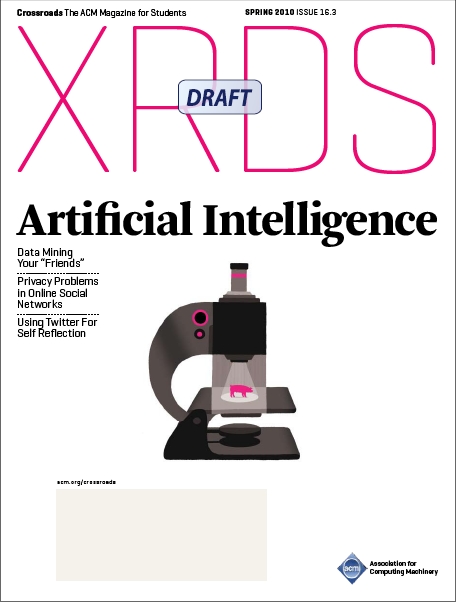

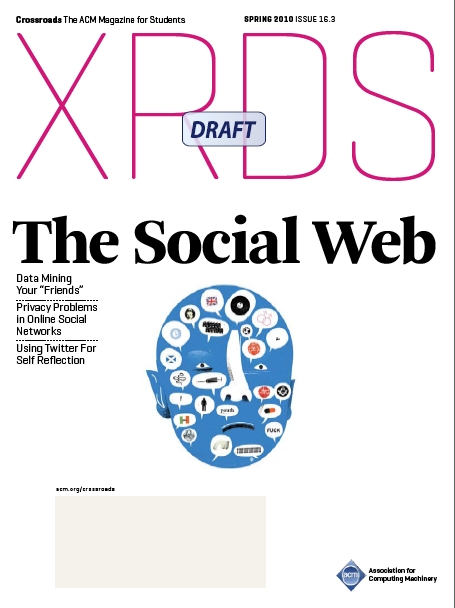
NOTES FROM BEFORE REDESIGN - ABOUT REDESIGN
Favorable to three-column format and typography seen in CACM. Prefer images/insets that span columns in fixed increments (e.g., 2 columns, 3 columns). Overall, we do not like text wrapping around embedded items (images and quotes).
The magazine will mostly likely be between 48 and 64 pages.
Tentative department names are included in quotes, although we are open to alternatives.
To give you an idea of the length of each department/item, we’ve labeled each section with one of four descriptors.
1) Half page — three columns wide, consumes half a page (another half page item could go below it)
2) One column full height — one column wide, but spans the entire page vertically (like a side bar).
3) Full page — one full page.
4) Multiple pages — one full page, plus several trailing pages of text and images.
These lengths are not meant to limit the design, but rather give you an idea of the volume of content. We are open to other configurations. Many of the items could be paired together with other sections and serve as a common template (e.g., “roll call” + “contents”).
COVER:
Tentative rename to “XRDS” with the tagline “The ACM Magazine for Students”.
Want to better highlight department content on the cover. May not even need to include anything about the feature items except what the issue is about (e.g., “cloud computing”, “social web”, “programming interfaces”).
ACM must be present on the cover.
FRONT OF BOOK:
1) “Contents” – a table of contents. Full page.
2) “Roll Call” – a listing of the ~15 editors plus small headshots (illustration, color, or b/w). AKA, the masthead. At minimum will include: name, XRDS position, university. Could also include a brief (potentially lighthearted) bio. For example, a friend once introduced me as: “Chris Harrison is a 3rd year HCI Ph.D. student at Carnegie Mellon. Rumor has it he once killed a bear with nothing but his hands, a tricycle and a copy of Windows for Workgroups.” Sort of like the popups here: https://www.dropbox.com/about. One column full height.
3) “Letter from the Editor” — the letter from the editor. Can include picture relevant to issue. Headshot not needed if already included in “roll call”. Half page or full page.
4) “Inbox” — feedback from readers since last issue. List format. Will include emails, physical letters, text messages, twitter tweets, flickr photos, facebook messages, etc. Needs to be flexible as communication forms will change. Half page or one column full height.
5) “Updates” – List of updates from one to five ACM Chapters (basically student clubs). Likely text-centric, but some may have a related photo. Typically cover recent guest speakers, upcoming/past special events, parties, projects, career fairs, community outreach and similar. Half page to full page.
6) “Benefit” — Highlights one benefit of being an ACM student member. Likely to be text-centric. Half page.
7) “Advice” – a text-heavy (likely text-only) article providing advice. (e.g., “how to get into a good PhD program”). Half page to full page.
FEATURES:
Two to six feature articles. Long features are approx. 3000 words long. Short features are 1500 words. Both formats are multiple pages with images. Lengths can vary as per page design. We are hoping to move towards a more visually rich style, but we may not be able to get good photos/figures for every article.
POTENTIALLY INTERLEAVED WITH FEATURES: (i.e. are related to the issue topic):
8 ) “Interview” – An interview piece. Will need appropriate formatting (editor:, person:, editor:, person:, etc.). Persistent across issues, like a department, but acts more like a feature article. Full page to multiple page.
9) “Acronyms” – Acronyms cheat sheet (related to topic), Half page or one column full height (latter preferred, so it acts more like a side bar.). Could use dashed line to indicate it could be cut out (with sizzors).
10) “Profile” — profile of notable researcher. Background, kid, education, research, now what, future, … Half page or one column full height.
11) “Hello World” – a code tutorial relating to the issue topic. Will almost always include a code snippet (embedded in the text like an image – 2 or 3 col. wide). Might also cover debugging tips. The code snippet will need a “look and feel”. Half page to full page.
BACK OF BOOK:
12) “Back” – a look back at what the state of the art was X number of years ago. Will primarily be a list, e.g., “processor, ram, storage, bandwidth, monitor, software”. Like a list of specs. Maybe a few factoids in sentence form. Likely to be paired with an image of the item. Half page.
13) “Labz” — Highlight one lab (academic or industrial) that is a great place to work or great place to get a PhD, etc. Will feature at least one photo. Has persistent sidebar/inset that lists other top programs (2-5). Half page or full page (likely full page if big photo is included and other programs are listed with description/contact information)
14) “Conferences & Journals“– A listing of conferences and journals (i.e., publication venues). Each item will include a brief 1-3 sentence description, the entry deadline, and a actual event date/location. Photos rare, if ever. Half page or one column full height.
15) “Contests & Events” — A listing of contests and events. Each item will include a brief 1-3 sentence description, requirements, the entry deadline, and an actual event date/location. Photos rare, if ever. Half page or one column full height.
16) “Grants & Fellowships” — a listing of grants and fellowships. Each item will include a brief 1-3 sent description/requirements, and the entry deadline. Half page or one column full height.
(Note: the latter three date/list-centric sections could be combined in some way. However, it might be a bit overwhelming as a full page, which is why we suggest three “one column full height” side-bar-like items).
NEAR BACK:
17) “Pointers” – catch all for more info. Might include web links, youtube videos, books, publications, email addresses, organizations, mailing addresses, rss feeds, … Half page or one column full height.
18) “Key” — Key for “standard inset items” (see below). (one column full height or smaller) Might be best paired with something else.
LAST PAGE:
19) “Bemusement” – Between 2 and 4 comics and/or puzzles. Needs to be highly flexible space. Essentially blank area we can fit items into. Full page.
STANDARD INSET ITEMS: (common objects that can be embedded/in-lined into features and departments)
“url” – a web link to the project or for more info
“fact” – a small one-three line fact
“bio” — will generally appear at the end of a feature
“def” — definition of a term
“[quote]“ — matching iconography for a pull quote
“ref” – a reference to a book or paper
“fig” – acts as a caption for a figure
“cap” — like a fig caption, but could be for a non-technical photo, chart, or code snippet. Not necessarily graphical. Could serve as the general caption (i.e., no fig object).
“goto” – Could point to something else within the issue (aka page 15), or maybe something in the XRDS archive.
MOCK DESIGNS:

Harrison Mock Cover

Harrison Mock Cover

Harrison/Bartindale Mock Interior

Harrison/Bartindale Mock Interior